Fujifilm CAD EYE AI Colonoscopy Support
Authorized Fujifilm endoscopy AI supplier. Fujifilm CAD EYE brings deep-learning support to colonoscopy. It helps endoscopists detect and characterise colonic polyps in real time. Therefore, clinicians gain expert-level decision support during routine examinations.
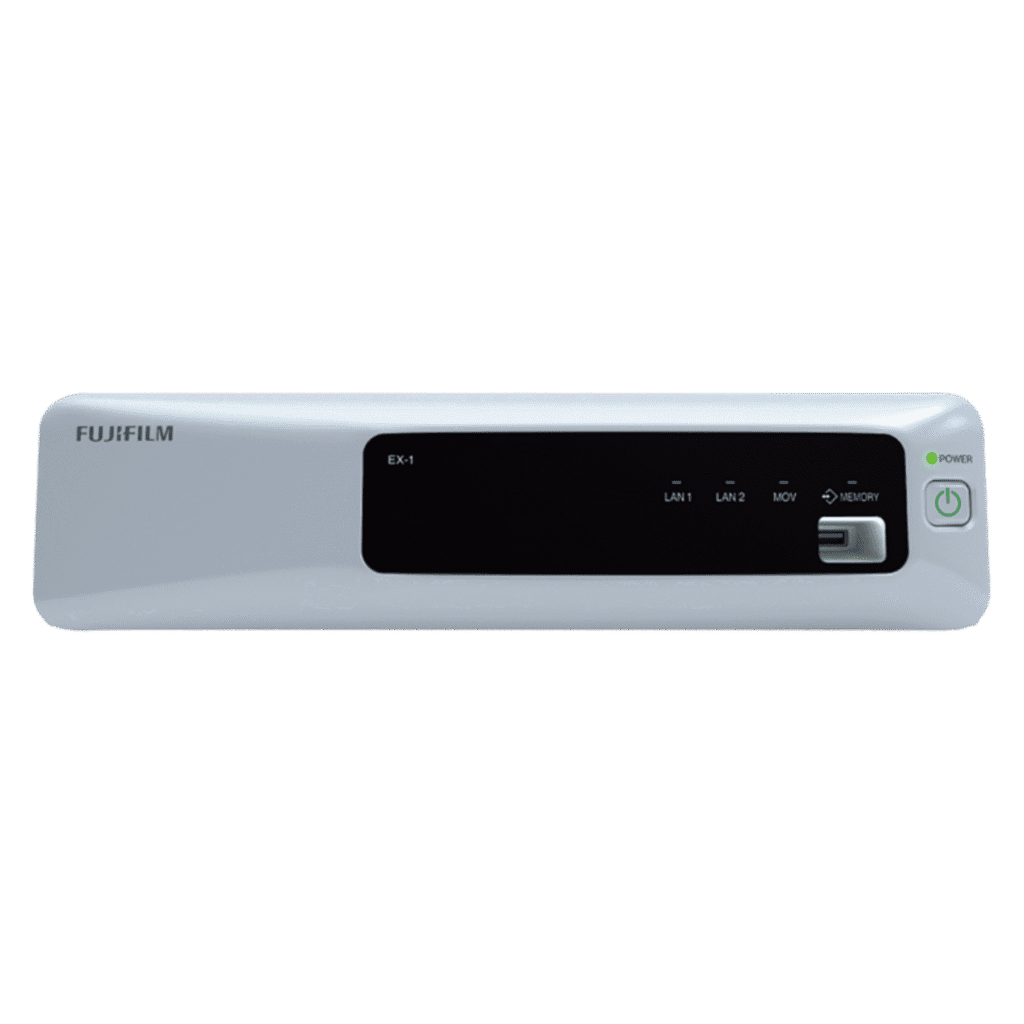
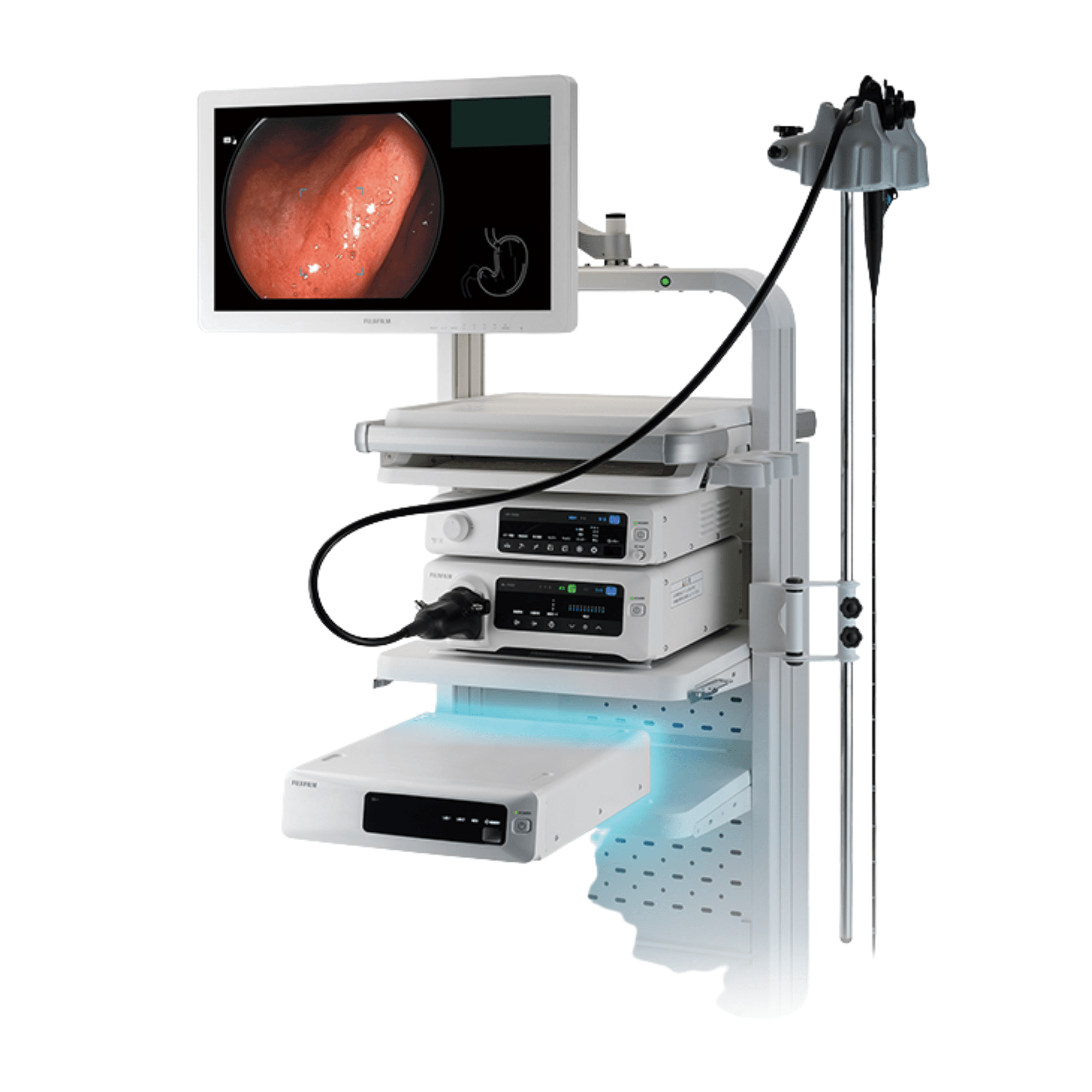
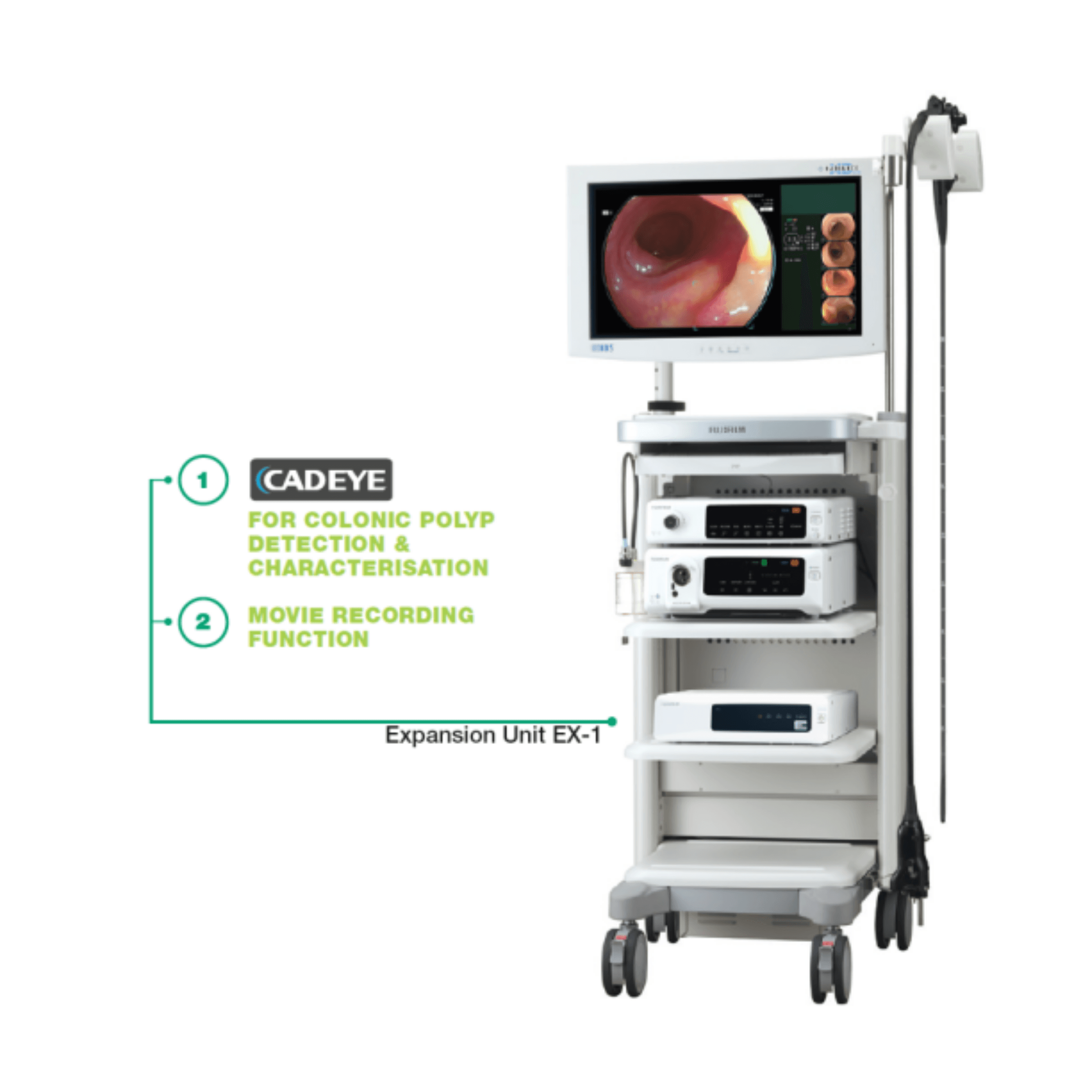
CAD EYE works with the ELUXEO series and the EX-1 expansion unit. It runs detection in White Light and LCI modes, and then it adds BLI characterisation. As a result, the system flags suspicious lesions and indicates whether a polyp is hyperplastic or neoplastic.
Need pricing? Get a quote with lead times within one business day.
Fujifilm CAD EYE Clinical Features
CAD EYE was trained on a large set of clinical images from Fujifilm endoscopy systems. Because of that training, it supports lesion detection and characterisation directly inside the live procedure view.
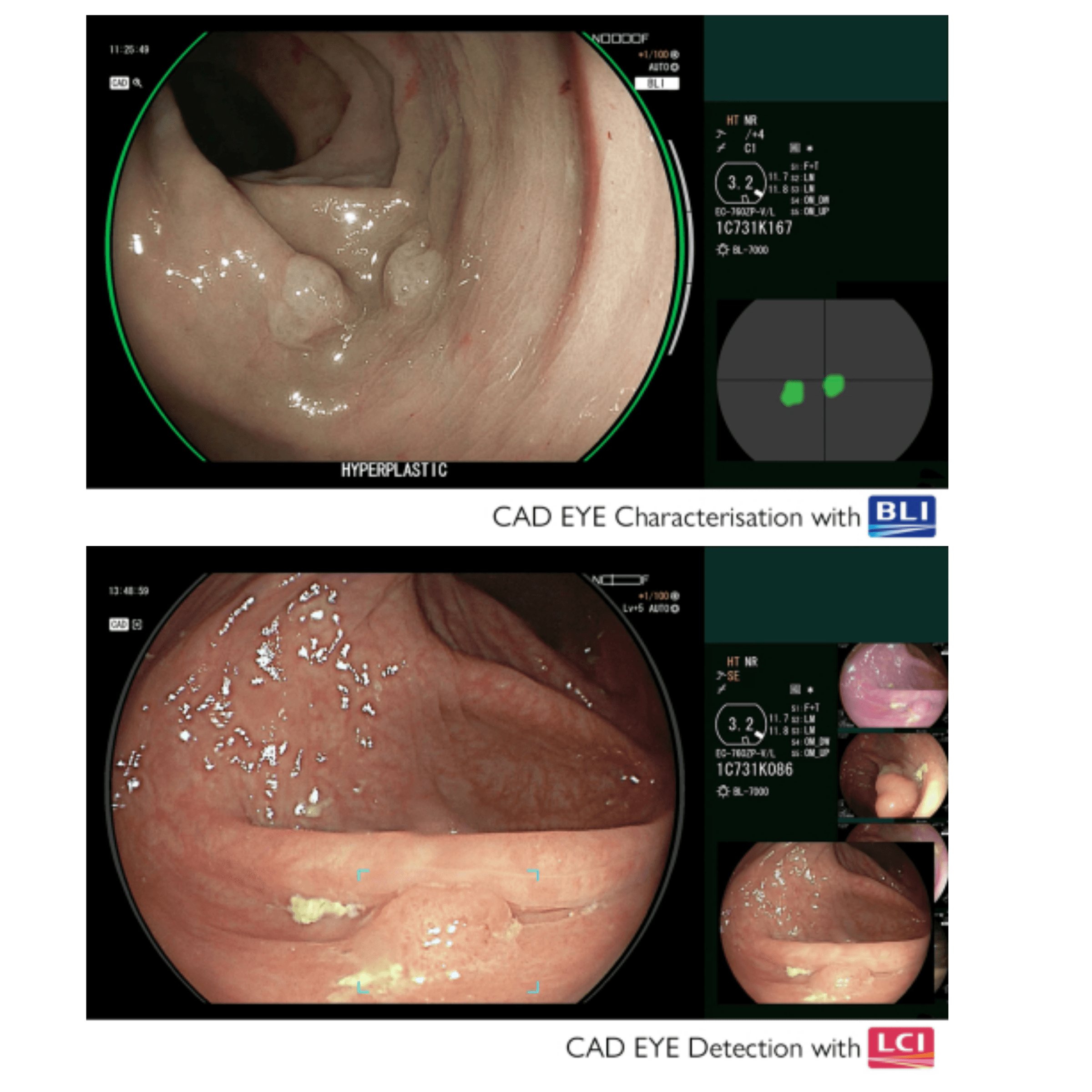
CAD EYE aims to raise the real-time polyp detection rate toward expert level. It helps recognise flat lesions, multiple polyps at once, and lesions at the corner of the image. Detection runs in both White Light and LCI modes.
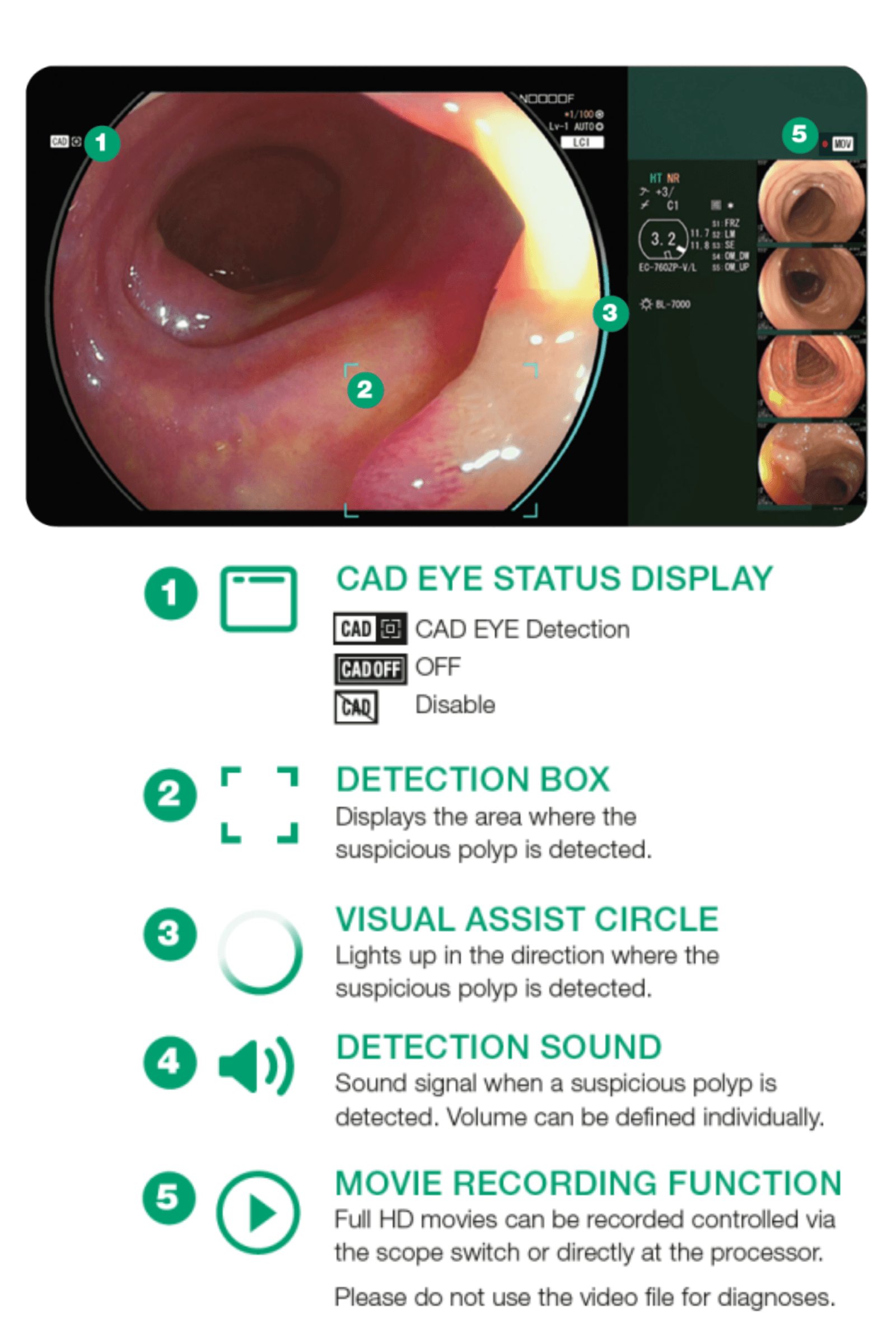
A detection box marks the area where a suspicious polyp appears. In addition, a detection sound signals each find, and the volume can be set per user. A visual assist circle lights up in the direction of the suspicious polyp.
Once detection flags a polyp, characterisation works with BLI to support diagnosis. It analyses in real time without freezing or zooming. The result appears as a color code in the position map.
Green indicates a hyperplastic result, which covers hyperplastic polyps and SSL. Yellow indicates a neoplastic result, which covers adenoma and cancer. A status bar shows the progress of the analysis for the suspected area.
Compare a conventional colonoscopy setup against a CAD EYE assisted workflow.
The interface stays simple and intuitive. It does not interfere with the clinical image, and it minimises required eye movement. For this reason, CAD EYE received the Good Design Award for its interface design.
Full Specifications
Every value below comes from the Fujifilm CAD EYE specification sheet. Specifications are subject to change without notice.
| Expansion unit | EX-1 |
| Software | EW10-EC02 |
| Internal memory | 30 hours of video |
| Package content | USB flash drive for installation, user manual |
| Compatible processors | VP-7000, EP-6000 |
| Compatible scopes | 700 series colonoscopes |
| Recording scope support | 700/600/500 scopes, excluding EUS scopes |
| Imaging series | ELUXEO |
| Output | DVI-I x1, DVI-D x1 |
| Input | DVI-I x1 |
| Control | Scope switch or processor |
| Activation | Push button toggle |
| Memory capacity | 30 hours |
| Recording format | MP4, Full-HD |
| Storage location | EX-1 internal memory |
| Recording control | Scope switch or ELUXEO processor |
| Power rating | 100-240 VAC +/- 10% |
| Frequency | 50/60 Hz |
| Current | 1.25 to 0.60 A |
| Dimensions (W × H × D) | 370.0 × 99.0 × 465.6 mm |
| Weight | 7.1 kg |
Clinical Applications
CAD EYE supports a range of colonoscopy scenarios where consistent detection and characterisation matter.
CAD EYE supports routine screening. It highlights suspicious polyps in real time, so the team keeps moving without manual review pauses.
Flat lesions are easy to miss. However, the detection box and visual assist circle help draw attention to them quickly.
Some examinations reveal several polyps at once. CAD EYE can recognise multiple polyps simultaneously during the live view.
Lesions at the edge of the frame are simple to overlook. Therefore, the visual assist circle points toward them as the scope moves.
In a validation study, non-expert accuracy with characterisation support matched that of an expert. As a result, less experienced clinicians gain confidence.
The EX-1 stores up to 30 hours of Full-HD video. Because of this, teams can record cases for teaching and later review.
CAD EYE Colonoscopy Workflow
CAD EYE fits into the standard ELUXEO procedure. Each step adds support without changing how the endoscopist works.
Find suspicious polyps in real time.
Detection runs in White Light and LCI modes. A detection box marks the area, a sound signals the find, and the visual assist circle points toward the lesion.
Classify the polyp with BLI.
Characterisation analyses the lesion without freezing or zooming. Green indicates hyperplastic, while yellow indicates neoplastic, shown on the position map.
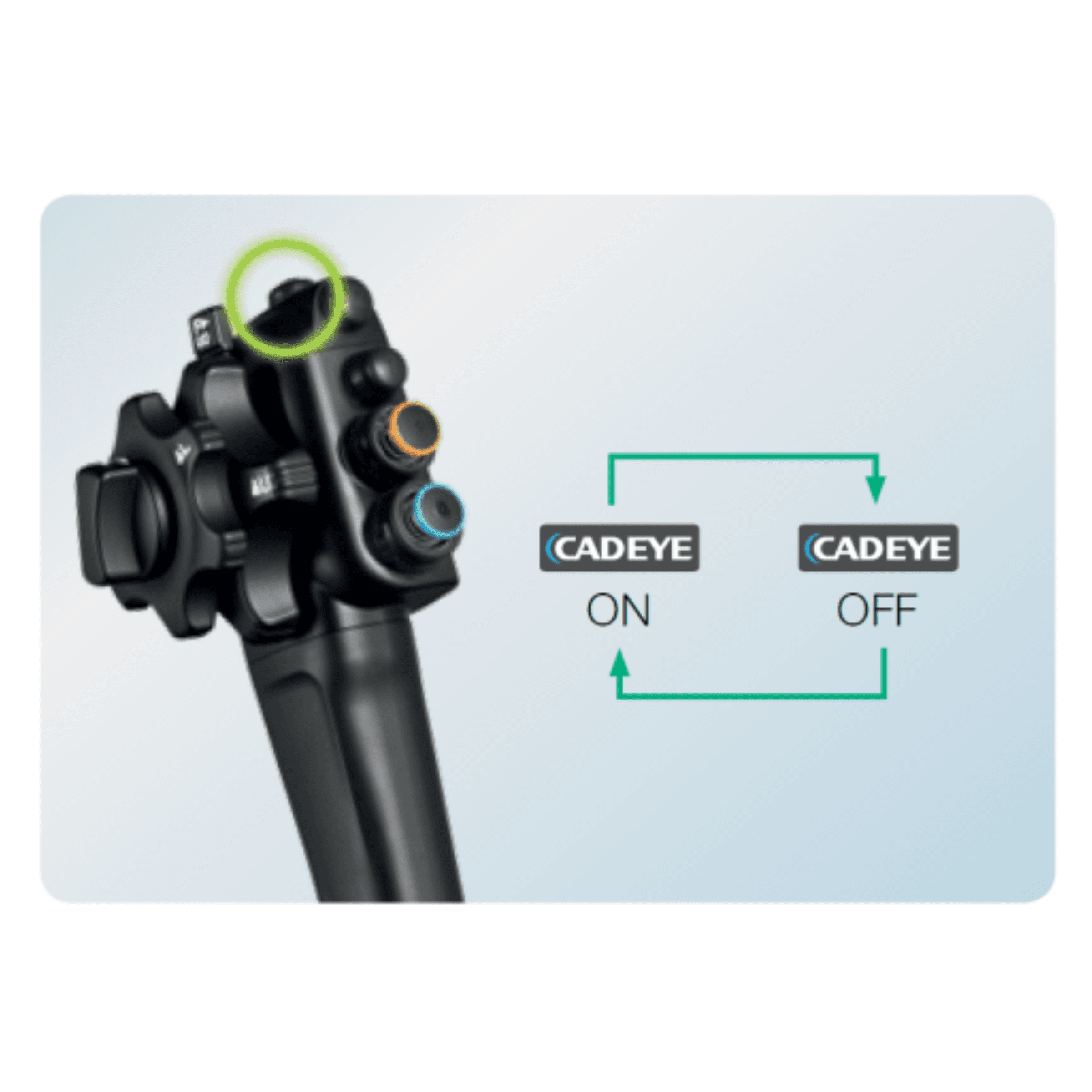
Toggle CAD EYE from the scope.
You can activate and deactivate CAD EYE with a push of the endoscope button or directly at the processor. In addition, scope switch functions can be defined individually.
Capture the case.
The EX-1 stores Full-HD MP4 movies in internal memory. It holds up to 30 hours and is controlled from the scope switch or the ELUXEO processor.
Quality and Intended Use
CAD EYE was developed with Fujifilm AI technology and validated against expert performance. Please review the notes below before purchase.
Request a CAD EYE quote
Tell us your ELUXEO processor and scope models. Our team will confirm compatibility and prepare pricing for the EX-1 unit and EW10-EC02 software.
Integration support
We help align CAD EYE with your existing ELUXEO setup. In addition, we can advise on DVI connectivity and scope switch configuration for your suite.
Frequently Asked Questions
Common questions about Fujifilm CAD EYE for colonoscopy.
CAD EYE is an AI deep-learning aid for colonoscopy. It supports the real-time detection and characterisation of colonic polyps. Moreover, it works with the Fujifilm ELUXEO endoscopy series.
CAD EYE is compatible with the VP-7000 and EP-6000 processors. It works with 700 series colonoscopes. The movie recording function also supports 700, 600, and 500 scopes, excluding EUS scopes.
Detection runs in White Light and LCI modes. Characterisation then works with BLI. Because of this, the system can both find and classify suspicious polyps.
After detection flags a polyp, BLI characterisation analyses it in real time without freezing or zooming. Green indicates hyperplastic, and yellow indicates neoplastic, shown on the position map.
The EX-1 expansion unit stores up to 30 hours of Full-HD MP4 video in internal memory. You can control recording from the scope switch or the ELUXEO processor.
You can turn CAD EYE on or off with a push of the endoscope button. Alternatively, you can control it directly at the processor. In addition, each scope switch function can be defined individually.
No. The interface is designed to stay out of the way. It minimises required eye movement and keeps the display simple, which helps during long examination sessions.
You can buy it from Medical Outfitters Inc., an ISO 13485:2016 certified supplier in Miami, FL. Call (305) 885-4045 for pricing, compatibility checks, and delivery.
Compatible Equipment
Explore related Fujifilm endoscopy products available at Medical Outfitters.
Fujifilm Bronchoscope System (580 and 530 Series)
Fujifilm Bronchoscope System Overview Features Specs Use Cases …
View ProductRequest a Quote Today
Get in touch with Medical Outfitters today to request your personalized quote and outfit your facility with confidence.